Background pattern

Generate digital Colorado Engineer (PE) stamps, Architect stamps, and Surveyor stamps instantly

  • STATE BOARD COMPLIANT
  • HIGH-QUALITY FILES IN VARIOUS FORMATS
  • INSTANT ACCESS
  • FREE-OF-CHARGE REVISIONS
Text Size
Text Size
Text Size

Your board-compliant seal will be ready for download after purchase

Colorado PE Stamp Requirements

Regulatory Information

Authority: Colorado State Board of Licensure for Architects, Professional Engineers, and Professional Land Surveyors

Code Reference: Colorado Revised Statutes, § 12-120-113

Seal Requirements

  • Must include licensee's name, license number, and 'Professional Engineer' legend.
  • Displays 'State of Colorado' at the top.
  • Electronic signatures and digital seals permitted.
  • Final engineering documents must be signed and stamped by the licensee.

Board Website: https://dpo.colorado.gov/AES

All formats included

 format preview

HIGH-QUALITY RASTER FORMAT

 format preview

VECTOR FORMAT, INFINITELY SCALABLE

 format preview

UNIVERSAL DOCUMENT FORMAT

 format preview

AUTOCAD COMPATIBLE FORMAT

 format preview

PROFESSIONAL PRINT FORMAT

Create your Colorado digital PE stamp

1

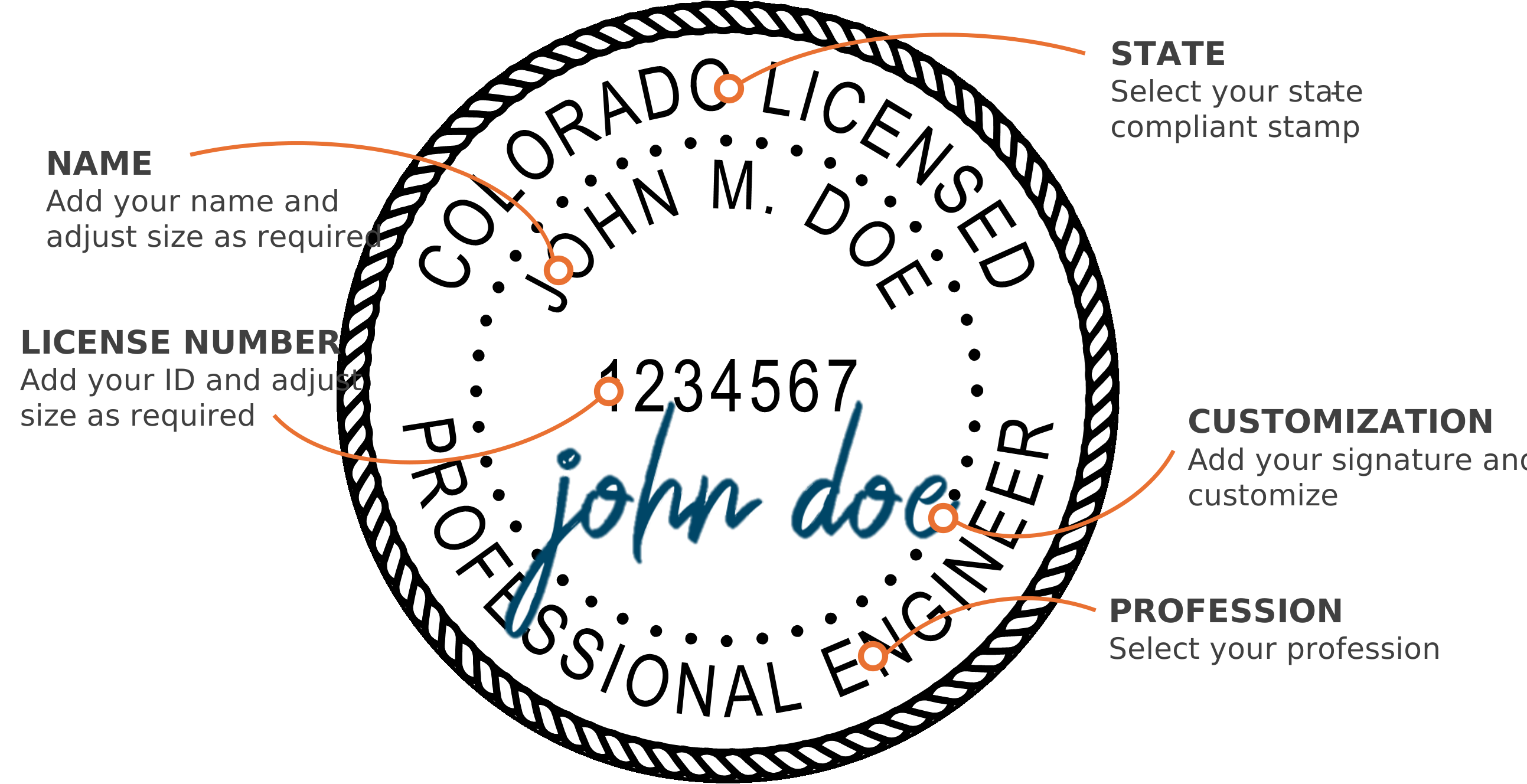
Select your state & profession

2

Add your name & license number

3

Adjust the text size using the controls

4

Select your discipline

5

Add your signature & customize (optional)

6

Download instantly to your computer

Electronic PE Stamp

Compatible with PDF and CAD software

Bluebeam
Adobe Acrobat
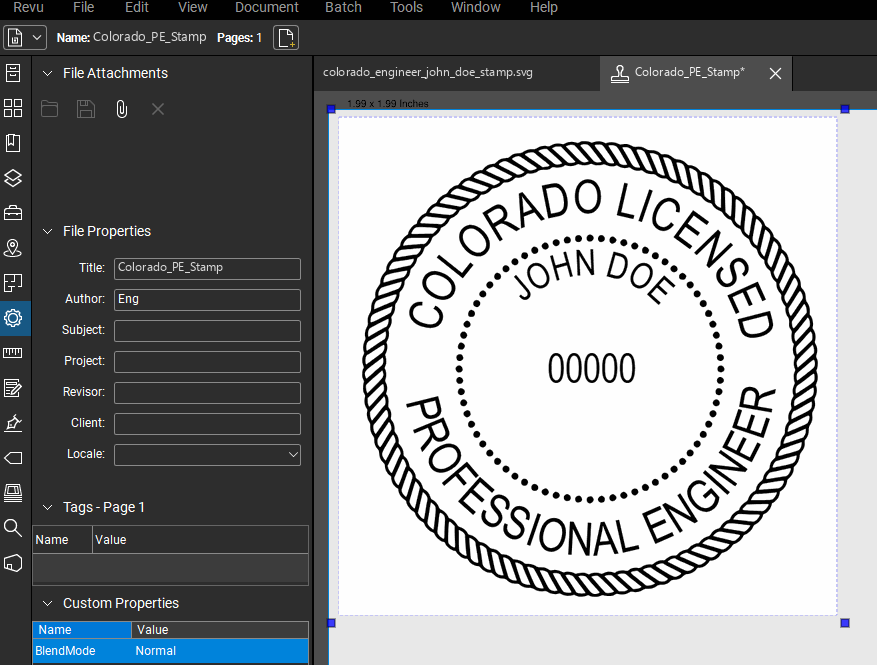
Bluebeam Stamp Example
Click to expand
AutoCAD
Autodesk Revit
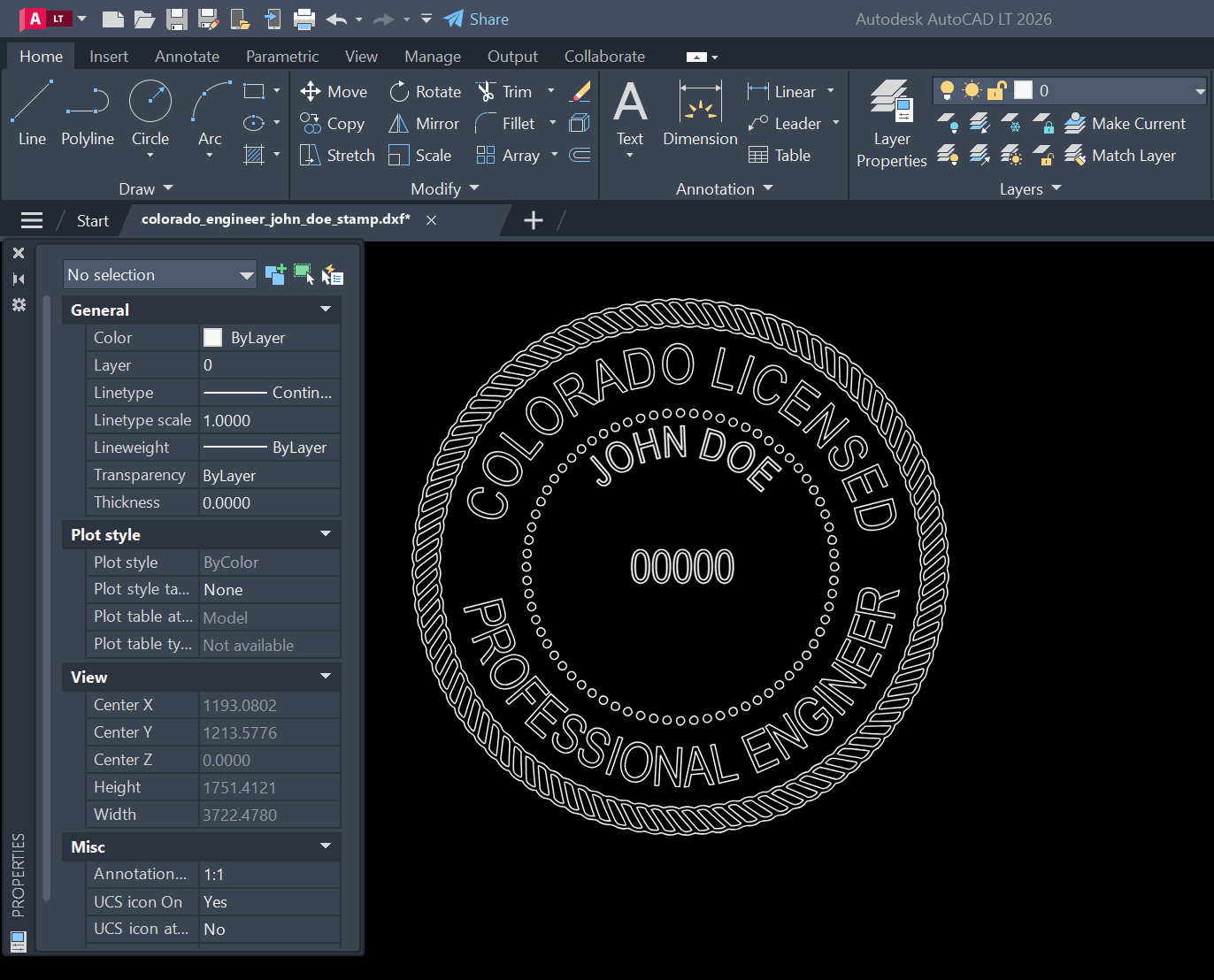
AutoCAD Stamp Example
Click to expand

About

Our digital Colorado PE stamp generator creates instant state-approved electronic professional engineer and architect stamps. Our platform provides full customization of your digital seal, including an option to add your signature. Professional Engineer (PE) stamps, Architect stamps, and Land Surveyor stamps are available for immediate download after customization. There is no waiting. Every electronic professional seal we generate is 100% compliant with state board requirements, ensuring your digital stamp meets all necessary standards.

State board-approved, including

Florida PE Stamp logo
Texas PE Stamp logo
California PE Stamp logo
Georgia PE Stamp logo
New York PE Stamp logo
Pennsylvania PE Stamp logo

Colorado Seal FAQs

Frequently asked questions about our Colorado digital professional engineer, architect and surveyor stamps and seals.

How do I obtain a digital Colorado professional engineer (PE), architect or surveyor seal or stamp?

Upon licensure in Colorado, you can use our stamp generator to instantly receive your seal or stamp. Simply fill out the form, customize, add your signature if desired, and download instantly on your computer – no waiting. All our stamps are generated in accordance with Colorado state-board requirements as specified in Colorado Revised Statutes, § 12-120-113. We know your privacy is important, so no data leaves your computer during the stamp generation process.

What are the requirements for the Colorado PE Stamp or seal?

According to the Colorado State Board of Licensure for Architects, Professional Engineers, and Professional Land Surveyors, the Colorado PE stamp must meet the following requirements as specified in Colorado Revised Statutes, § 12-120-113:

  • Must include licensee's name, license number, and 'Professional Engineer' legend
  • Displays 'State of Colorado' at the top
  • Electronic signatures and digital seals permitted
  • Final engineering documents must be signed and stamped by the licensee

Our stamp generator automatically creates stamps that meet all Colorado board requirements. For more information, visit the official board website: https://dpo.colorado.gov/AES

What are the requirements for the Colorado Architect Stamp or seal?

According to the Colorado State Board of Licensure for Architects, Professional Engineers, and Professional Land Surveyors, the Colorado Architect stamp must meet the following requirements:

  • Must include licensee's name and license number
  • Must contain the words 'Licensed Architect'
  • Must display 'State of Colorado'
  • Documents must be signed and dated
  • Electronic signatures are permitted

Our stamp generator automatically creates stamps that meet all Colorado board requirements. For more information, visit the official board website: https://dpo.colorado.gov/AES

How do I sign my Colorado PE, Architect, and surveyor seal or stamp?

In Colorado, according to Colorado Revised Statutes, § 12-120-113, license holders must sign and date their documents. The signature should not obscure the license holder's name and license number. When applying your signature to your digital stamp, ensure the signature is clearly visible and legible. Our stamp generator allows you to position your signature optimally on your stamp.

How to add PE and Architect seal or stamps in Bluebeam Revu?

After downloading your stamp from our generator:

  1. Open the provided PDF version of your stamp in Bluebeam
  2. Go to Tools → Stamp → Create Stamp
  3. Enter the following information in the Create Stamp dialog box:
    • Subject: [Your Initials]_Seal
    • Template: Blank (none)
    • Width: 1.5
    • Height: 1.5
    • Blend Mode: Multiply
  4. Click and drag from the top left corner of your seal to the bottom right
  5. Save and close the file
How to add PE and Architect seal or stamps in Adobe Acrobat?

Adding your professional stamp to Adobe Acrobat is simple:

  1. Download your digital stamp from PEDigitalStamps.com in PDF format
  2. Open Adobe Acrobat DC
  3. Go to Tools → Stamps → Custom Stamps → Create
  4. Browse to and select your downloaded stamp PDF
  5. Choose a category (create a new one like "Professional Stamps" if desired)
  6. Name your stamp (e.g., "PE Stamp")
  7. Click OK to save

Your stamp is now available in the Stamps tool under your chosen category. To apply it:

  1. Open the document you want to stamp
  2. Select Tools → Stamps → Your Category
  3. Click on your stamp
  4. Position it on the document and click to place it