Generate digital Quebec Engineer (ing.) stamps instantly

  • STATE BOARD APPROVED
  • HIGH-QUALITY FILES IN VARIOUS FORMATS
  • INSTANT ACCESS
  • FREE-OF-CHARGE REVISIONS
Loading seal preview
Taille du texte (Text size)

Your board-compliant seal will be ready for download after purchase

File formats

All formats included

PNG file format

HIGH-QUALITY RASTER FORMAT

SVG file format

VECTOR FORMAT, INFINITELY SCALABLE

PDF file format

UNIVERSAL DOCUMENT FORMAT

CAD file format

AUTOCAD COMPATIBLE FORMAT

TIF file format

PROFESSIONAL PRINT FORMAT

How it works

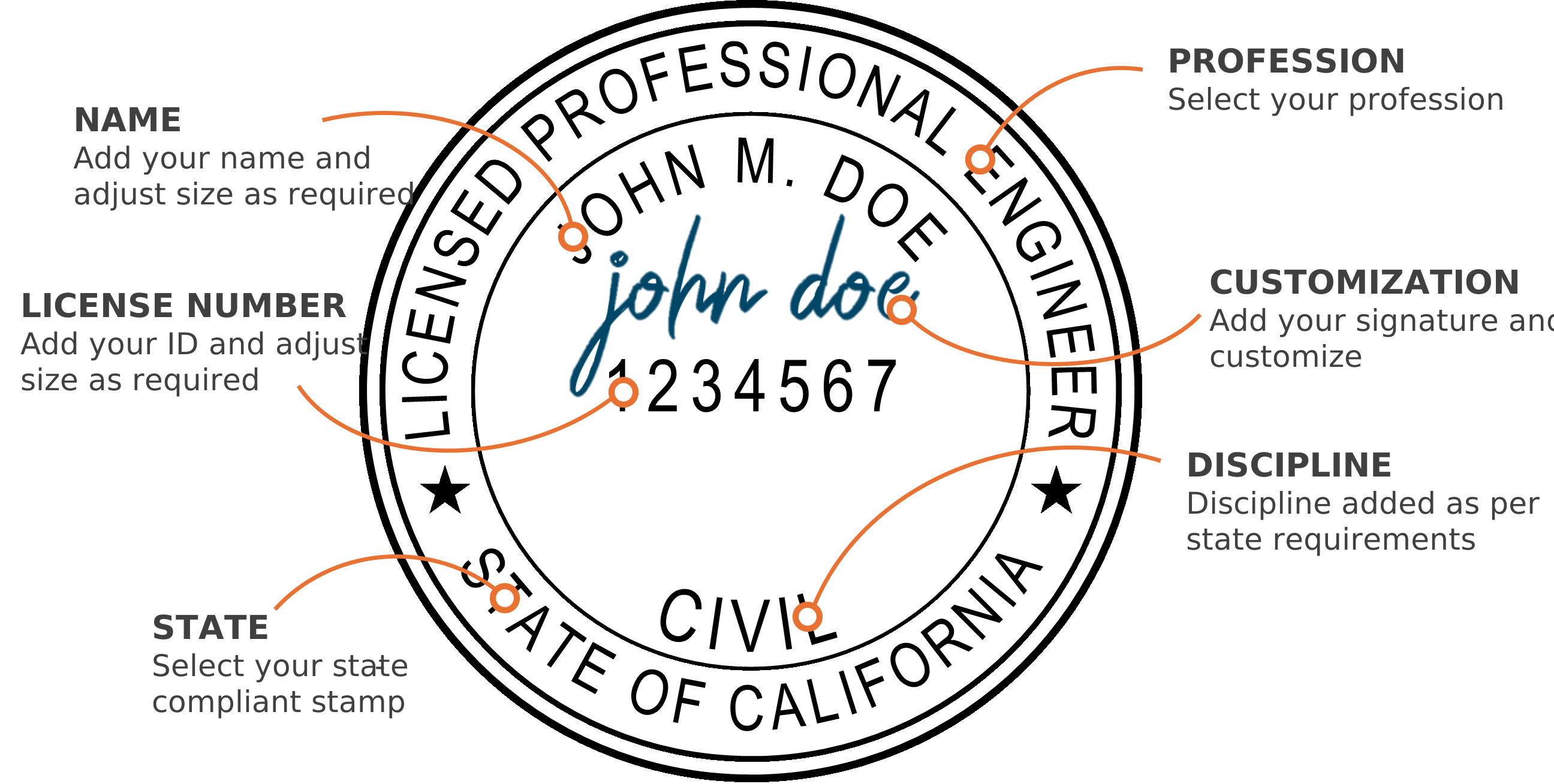
Create your Quebec digital PE stamp

1

Select your state & profession

2

Add your name & license number

3

Adjust the text size using the controls

4

Select your discipline

5

Add your signature & customize (optional)

6

Download instantly to your computer

Digital PE stamp with callouts showing where the name, license number and other details go

Software compatibility

Compatible with PDF and CAD software

Bluebeam
Adobe Acrobat
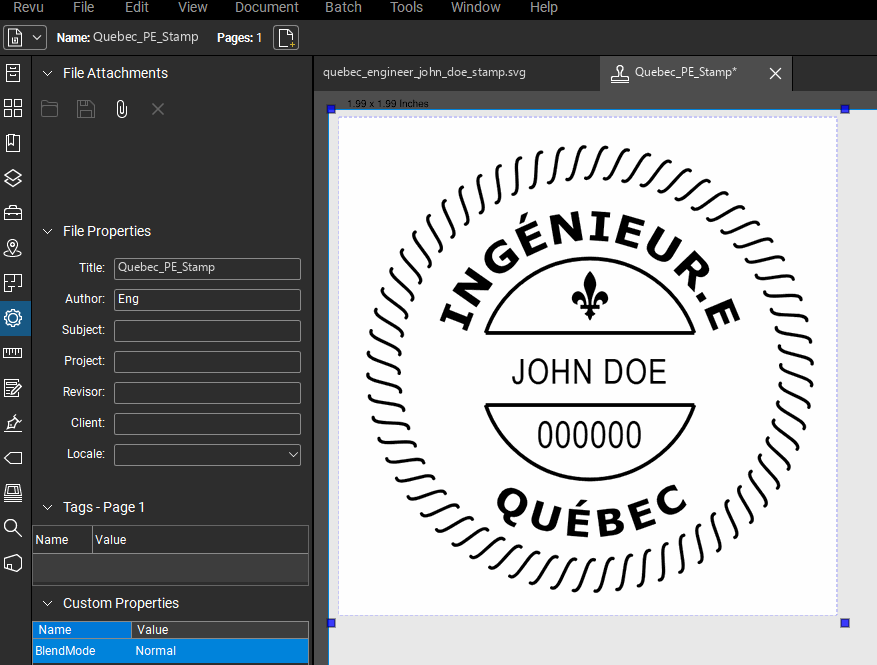
Quebec PE stamp applied to a PDF drawing in Bluebeam Revu
AutoCAD
Autodesk Revit
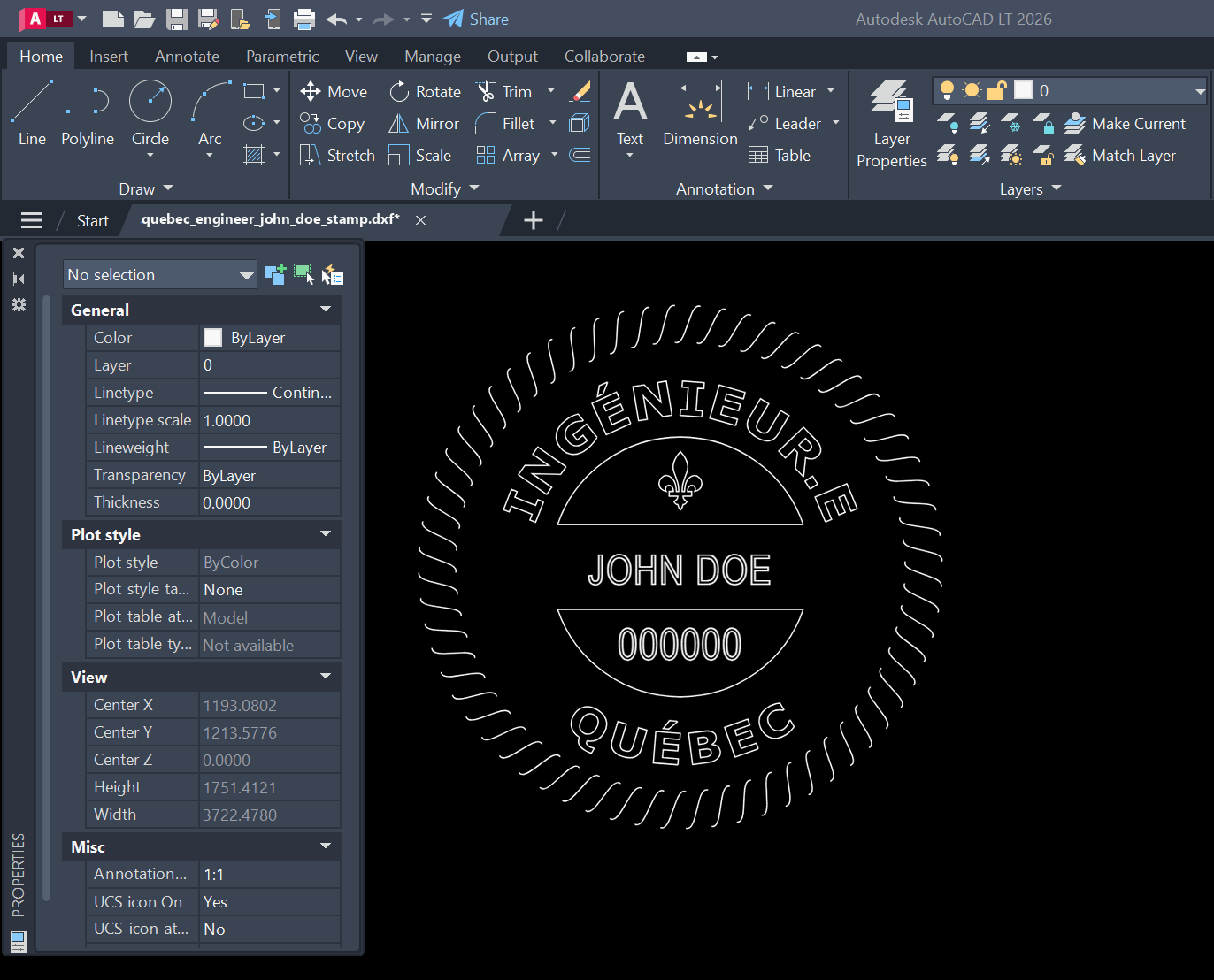
Quebec PE stamp DXF opened in AutoCAD

Who we are

About

Our digital Quebec PE stamp generator creates instant state-approved electronic pe stamps. Our platform provides full customization of your digital seal, including an option to add your signature. Professional Engineer (PE) stamps, Architect stamps, and Land Surveyor stamps are available for immediate download after customization. There is no waiting. Every electronic professional seal we generate is 100% compliant with state board requirements, ensuring your digital stamp meets all necessary standards.

State boards

State board-approved, including

  • California Board for Professional Engineers, Land Surveyors, and Geologists logo
  • Texas Board of Professional Engineers and Land Surveyors logo
  • Florida Board of Professional Engineers logo
  • New York State Education Department, Office of the Professions logo
  • Pennsylvania State Registration Board for Professional Engineers, Land Surveyors and Geologists logo
  • Ohio Board of Registration for Professional Engineers and Surveyors logo
  • Georgia State Board of Registration for Professional Engineers and Land Surveyors logo
  • North Carolina Board of Examiners for Engineers and Surveyors logo
  • Washington State Board of Registration for Professional Engineers and Land Surveyors logo
  • Minnesota Board of Architecture, Engineering, Land Surveying, Landscape Architecture, Geoscience and Interior Design logo
  • Louisiana Professional Engineering and Land Surveying Board logo
  • Oklahoma State Board of Licensure for Professional Engineers and Land Surveyors logo

FAQ

Quebec Engineer Seal FAQs (FAQ – sceau d'ingénieur.e du Québec)

Frequently asked questions about Quebec digital engineer stamps and seals (questions fréquentes sur le sceau numérique d'ingénieur.e du Québec).

Comment obtenir un sceau numérique d'ingénieur.e du Québec ? (How do I get a digital Quebec engineer seal?)

Inscrivez votre nom et votre numéro de membre dans le générateur ci-dessus, ajoutez votre signature si vous le souhaitez, puis téléchargez votre sceau immédiatement après le paiement. Le sceau est généré entièrement dans votre navigateur : votre nom, votre numéro de membre et votre signature ne quittent jamais votre ordinateur.

Le titre est-il « P.Eng. » au Québec ? (Is the title “P.Eng.” in Quebec?)

Non. Au Québec, la Loi sur les ingénieurs (RLRQ, c. I-9, art. 22) réserve les titres « ingénieur » et « ingénieure » et l'abréviation « ing. » (« Eng. » en anglais) ; « P.Eng. » est le titre des autres provinces. Le sceau porte donc la mention INGÉNIEUR.E et QUÉBEC, pas P.Eng.

Quels formats de fichier le téléchargement comprend-il ? (Which file formats are included?)

Chaque téléchargement comprend le sceau en SVG, PDF, PNG, TIFF et DXF. Les formats vectoriels (SVG, PDF, DXF) s'impriment à n'importe quelle taille sans perte de netteté, et le DXF s'insère dans AutoCAD et les autres logiciels de CAO. Le PNG a un fond transparent pour le placer sur un cartouche dans Bluebeam ou Adobe Acrobat.

Le sceau est-il conforme aux exigences de l'Ordre des ingénieurs du Québec (OIQ) ? (Does it meet the OIQ's requirements?)

Le générateur vous montre le sceau terminé avant l'achat — le libellé INGÉNIEUR.E et QUÉBEC, votre nom et votre numéro de membre — pour que vous puissiez le vérifier vous-même par rapport aux consignes de l'Ordre plutôt que de vous fier à la parole d'un fournisseur. Les exigences relatives au sceau sont fixées par l'Ordre des ingénieurs du Québec et peuvent changer : vérifiez la règle en vigueur auprès de l'Ordre avant de sceller des documents, comme pour tout sceau.

Puis-je ajouter ma signature au sceau ? (Can I add my signature?)

Oui. Téléversez une image ou un PDF de votre signature ; l'arrière-plan est retiré automatiquement, puis vous pouvez la positionner, la redimensionner et la recolorer sur le sceau. Nous ne conservons pas votre signature : le traitement se fait dans votre navigateur.

How do I get a digital Quebec engineer stamp or seal?

Fill in your name and member number in the generator above, position your signature if you want one, and download your Quebec engineer seal immediately after checkout. The seal is generated entirely in your browser — your name, member number and signature never leave your computer.

What file formats does the Quebec engineer seal download include?

Every download includes the seal as SVG, PDF, PNG, TIFF and DXF. The vector formats (SVG, PDF, DXF) scale to any print size without losing sharpness, and the DXF drops into AutoCAD and other CAD software. The PNG has a transparent background for placing over title blocks in Bluebeam or Adobe Acrobat.

Does the Quebec engineer stamp meet my regulator's requirements?

The generator shows you the finished seal before you buy it — the wording, the layout, your name and your member number are all in the preview, so you can check it against your regulator's rule rather than take a vendor's word for it. Seal requirements are set by each provincial regulator and can change, so verify the current rule with your regulator before sealing work, the same as you would with any stamp.

Can I add my signature to my Quebec engineer seal?

Yes. Upload an image or PDF of your signature and the background is removed automatically; you can then position, resize and recolor it on the seal. We don't store your signature — the processing happens in your browser.