Generate digital Alberta Architect stamps instantly

  • STATE BOARD APPROVED
  • HIGH-QUALITY FILES IN VARIOUS FORMATS
  • INSTANT ACCESS
  • FREE-OF-CHARGE REVISIONS
Loading seal preview
Text Size
Text Size

Your board-compliant seal will be ready for download after purchase

File formats

All formats included

PNG file format

HIGH-QUALITY RASTER FORMAT

SVG file format

VECTOR FORMAT, INFINITELY SCALABLE

PDF file format

UNIVERSAL DOCUMENT FORMAT

CAD file format

AUTOCAD COMPATIBLE FORMAT

TIF file format

PROFESSIONAL PRINT FORMAT

How it works

Create your Alberta digital Architect stamp

1

Select your state & profession

2

Add your name & license number

3

Adjust the text size using the controls

4

Select your discipline

5

Add your signature & customize (optional)

6

Download instantly to your computer

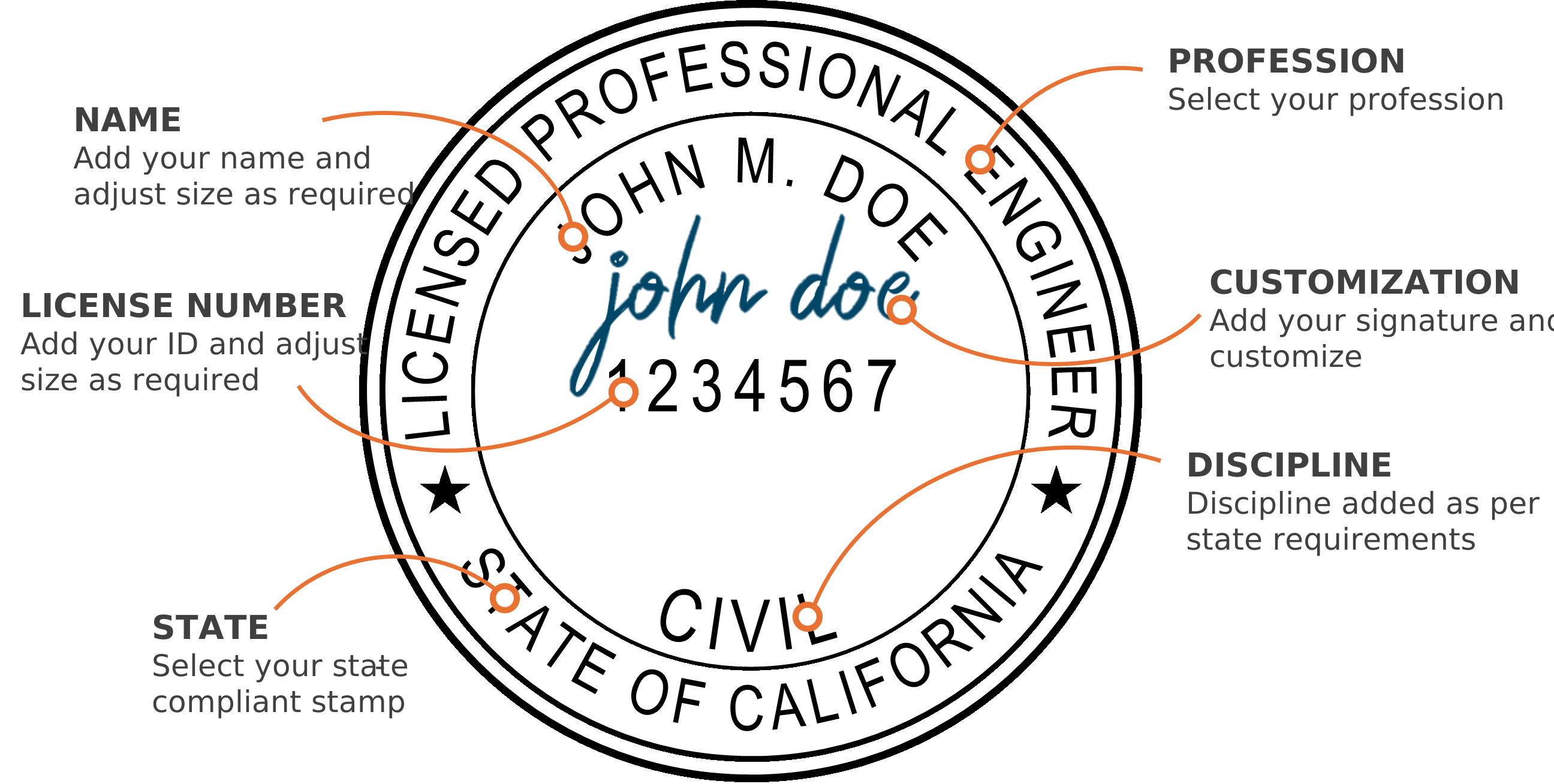
Digital PE stamp with callouts showing where the name, license number and other details go

Software compatibility

Compatible with PDF and CAD software

Bluebeam
Adobe Acrobat
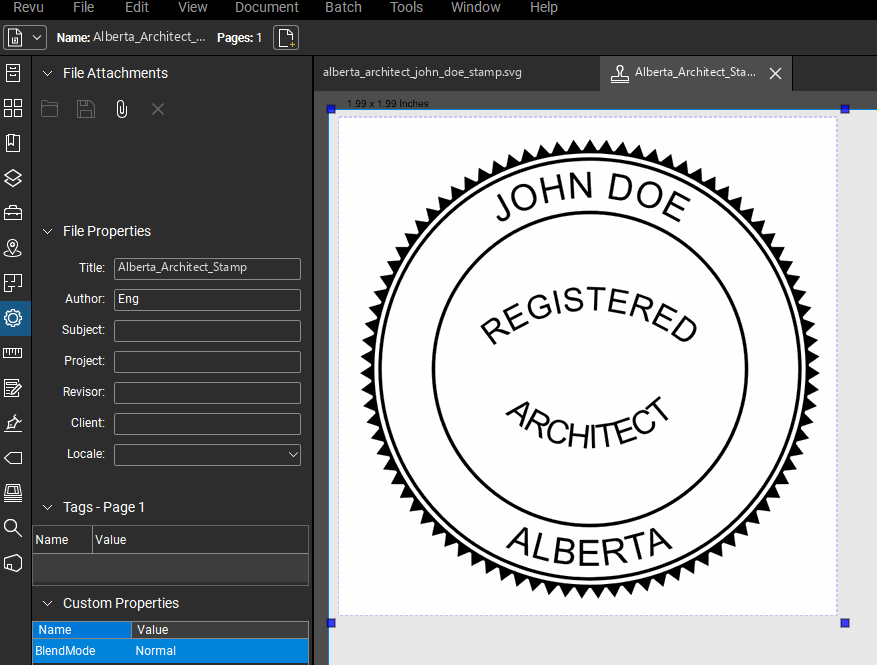
Alberta Architect stamp applied to a PDF drawing in Bluebeam Revu
AutoCAD
Autodesk Revit
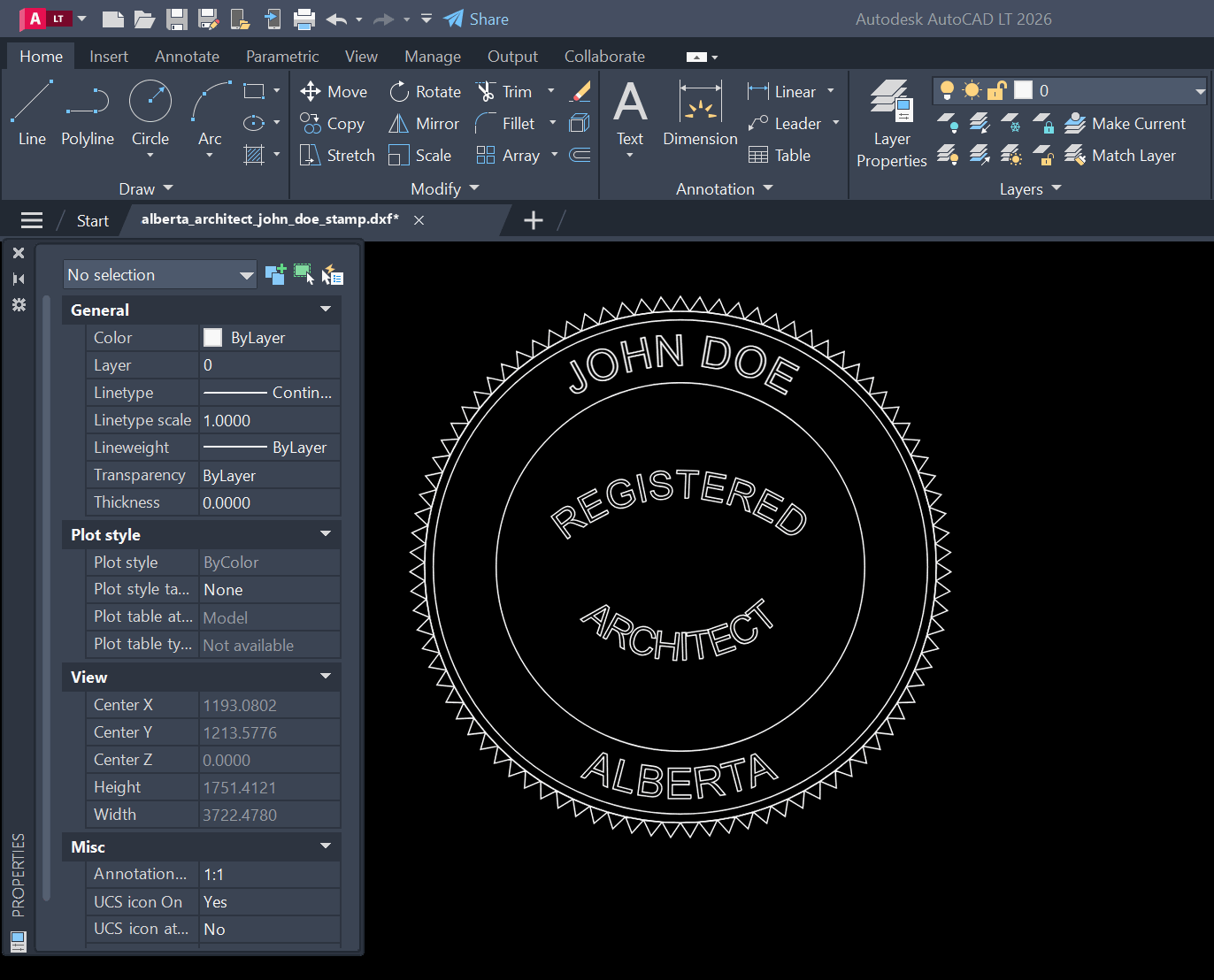
Alberta Architect stamp DXF opened in AutoCAD

Who we are

About

Our digital Alberta Architect stamp generator creates instant state-approved electronic architect stamps. Our platform provides full customization of your digital seal, including an option to add your signature. Professional Engineer (PE) stamps, Architect stamps, and Land Surveyor stamps are available for immediate download after customization. There is no waiting. Every electronic professional seal we generate is 100% compliant with state board requirements, ensuring your digital stamp meets all necessary standards.

State boards

State board-approved, including

  • California Architects Board logo
  • Texas Board of Architectural Examiners logo
  • New York State Education Department, Office of the Professions logo
  • Ohio Architects Board logo
  • North Carolina Board of Architecture and Registered Interior Designers logo
  • Minnesota Board of Architecture, Engineering, Land Surveying, Landscape Architecture, Geoscience and Interior Design logo
  • Alabama Board for Registration of Architects logo
  • Louisiana State Board of Architectural Examiners logo
  • Oklahoma Board of Architects, Landscape Architects and Licensed Interior Designers logo
  • North Dakota State Board of Architecture and Landscape Architecture logo

FAQ

Alberta Architect Seal FAQs

Frequently asked questions about Alberta digital architect stamps and seals.

How do I get a digital Alberta architect stamp or seal?

Fill in your name in the generator above, position your signature if you want one, and download your Alberta architect seal immediately after checkout. The seal is generated entirely in your browser — your name and signature never leave your computer.

What file formats does the Alberta architect seal download include?

Every download includes the seal as SVG, PDF, PNG, TIFF and DXF. The vector formats (SVG, PDF, DXF) scale to any print size without losing sharpness, and the DXF drops into AutoCAD and other CAD software. The PNG has a transparent background for placing over title blocks in Bluebeam or Adobe Acrobat.

Does the Alberta architect stamp meet my regulator's requirements?

The generator shows you the finished seal before you buy it — the wording, the layout and your name are all in the preview, so you can check it against your regulator's rule rather than take a vendor's word for it. Seal requirements are set by each provincial regulator and can change, so verify the current rule with your regulator before sealing work, the same as you would with any stamp.

Can I add my signature to my Alberta architect seal?

Yes. Upload an image or PDF of your signature and the background is removed automatically; you can then position, resize and recolor it on the seal. We don't store your signature — the processing happens in your browser.